
Table of Contents
Choosing the right IPTV subscription can feel surprisingly difficult. You may want access to live television, movies, sports, and on-demand entertainment, but committing to a full year can feel like too much when you have not yet decided whether a service is right for you. At the same time, paying month after month can become inconvenient and may cost more over time.
That is where a 3 Months IPTV Subscription can make sense. A three-month plan gives you more time to experience a service while keeping your financial commitment lower than many long-term plans. You can evaluate channel availability, streaming quality, device compatibility, customer support, and overall reliability before deciding whether a longer subscription is worthwhile.
In this guide, you will learn how three-month IPTV plans work, what they typically include, how pricing compares with other subscription periods, what features you should look for, and how to choose a plan that fits your viewing habits. You will also find practical setup and troubleshooting advice so you can make a more informed decision.
What Is a 3 Months IPTV Subscription?
A 3 Months IPTV Subscription is a paid IPTV plan that provides access to a provider’s authorized streaming service for a period of three months. Instead of renewing every 30 days or paying for an entire year upfront, you pay for a three-month period and use the service during that subscription term.
The exact content and features depend on the provider. Some services may focus heavily on live television, while others combine live channels with video-on-demand libraries, electronic program guides, catch-up functionality, and support for several compatible devices.
A three-month plan is particularly useful when you want enough time to properly evaluate a service. A single month may not reveal how consistently a service performs during busy viewing periods. Three months gives you a broader opportunity to see how the platform fits into your normal routine.
How Does a 3-Month IPTV Plan Work?
The basic process is usually straightforward:
- You select a three-month subscription.
- You complete the provider’s checkout process.
- Your subscription is activated according to the provider’s terms.
- You receive the necessary login or playlist information.
- You configure a compatible IPTV application or supported device.
- You access the content included with your plan until the subscription expires.
Some providers use usernames and passwords, while others may provide playlist URLs or other supported access credentials. The exact setup depends on the service and the application you use.
Before purchasing, you should always check what type of credentials are supplied and whether your preferred device supports them.
What Do You Get With a 3 Months IPTV Subscription?
There is no universal IPTV package. Features differ between providers, plans, regions, and licensing arrangements.
Depending on the service, your plan may include:
- Live television channels
- Movies and TV shows
- Video-on-demand content
- Electronic Program Guide (EPG)
- Catch-up television
- HD streaming
- Full HD streaming
- 4K content where available
- Multiple supported devices
- Multiple simultaneous connections
- Customer support
- Regular service updates
You should not assume that every plan includes every feature. A provider advertising thousands of channels, for example, does not necessarily offer every channel in your country or every channel in the quality you expect.
The smarter approach is to compare the features that matter to you rather than choosing a plan simply because it has the largest advertised content library.
3 Months IPTV Subscription Pricing Comparison
Price is one of the first things you are likely to consider when comparing IPTV plans. However, the cheapest subscription is not automatically the best value.
A useful comparison should consider the total price, effective monthly cost, number of connections, supported devices, content availability, streaming quality, customer service, cancellation terms, and other included features.
Here is a general comparison of common subscription periods:
| Subscription Type | Commitment | Upfront Cost | Flexibility | Suitable For |
|---|---|---|---|---|
| 1 Month IPTV | 1 month | Low | Very High | Testing a service |
| 3 Months IPTV Subscription | 3 months | Medium | High | Regular viewers |
| 6 Month IPTV | 6 months | Medium/High | Moderate | Longer-term viewers |
| 12 Month IPTV | 12 months | High | Lower | Established users |
The prices themselves vary significantly between providers, so you should compare current plan details directly before purchasing.
How Much Does a 3 Months IPTV Subscription Cost?
There is no single standard price for a three-month IPTV subscription. Providers can structure their pricing differently depending on the features, number of connections, content rights, device support, and market they serve.
When comparing a 3 month IPTV subscription price, look beyond the headline number.
For example, two plans may have similar prices but very different terms. One might support one connection, while another allows several authorized simultaneous connections. One may include an EPG and catch-up feature, while another may not. A slightly more expensive plan could therefore provide better overall value.
You should also check whether the advertised price is a promotional introductory rate or the normal price. If the subscription automatically renews, make sure you understand what you will pay after the initial term.
What Determines IPTV Subscription Pricing?
Several factors can influence the price of an IPTV subscription:
- Subscription duration
- Number of simultaneous connections
- Content availability
- Streaming quality
- VOD library
- EPG functionality
- Catch-up features
- Device compatibility
- Customer support
- Regional availability
- Billing and renewal terms
The number of channels can also influence how a provider markets its plans, but quantity should not be your only measurement of value.
A smaller selection that contains the channels you actually watch may be more useful than a huge catalog filled with content you never use.
Are 3-Month IPTV Plans Cheaper Than Monthly Plans?
A three-month plan can offer better value than purchasing three individual monthly subscriptions, but you need to compare the actual totals.
Suppose a provider charges one amount for one month and offers a discounted price for three months. Your effective monthly cost can be calculated by dividing the three-month price by three.
Example
| Plan | Total Price | Effective Monthly Cost |
|---|---|---|
| 1 Month | $X | $X |
| 3 Months | $Y | $Y ÷ 3 |
| 6 Months | $Z | $Z ÷ 6 |
| 12 Months | $A | $A ÷ 12 |
This simple calculation helps you understand whether a longer commitment actually provides a meaningful discount.
However, price alone should not determine your decision. If you are unsure about a provider, paying slightly more for a shorter commitment may be preferable to paying a large amount upfront.
Best Features to Look for in a 3 Months IPTV Subscription
Once you understand the pricing structure, the next step is to examine what you are actually getting.
The best 3 Months IPTV Subscription for you should match your viewing habits rather than simply having the most impressive marketing claims.
Channel Selection
Channel availability is one of the most important factors when choosing an IPTV service.
Before subscribing, think about what you actually watch. Your priorities may include:
- Local television
- International channels
- News
- Entertainment
- Movies
- Kids’ programming
- Documentaries
- Sports
- Lifestyle content
- Regional programming
If you primarily watch channels from a particular country, make sure the provider clearly explains whether those channels are available.
You should also consider whether channel information is organized properly. A large catalog can become difficult to navigate if categories, channel names, or program information are inaccurate.
Sports Content
Sports viewers often have different requirements from casual television viewers. Live sporting events can place higher demands on streaming stability, and you may want reliable program information so you know when events are scheduled.
If sports are important to you, check whether the provider is authorized to distribute the particular sports content you want to watch in your region. Do not rely solely on claims about the number of sports channels.
HD, FHD and 4K IPTV Streaming Quality
Video quality is another important consideration.
You will commonly see terms such as:
- SD
- HD
- Full HD
- 4K
Higher resolution can provide a sharper picture, but resolution alone does not guarantee a better viewing experience.
Your experience also depends on your internet connection, device, network conditions, video encoding, server infrastructure, and the quality of the original stream.
What Is HD?
HD generally provides a substantial improvement over standard-definition television. It can be suitable for everyday viewing when you have a stable internet connection and a compatible display.
What Is Full HD?
Full HD provides a higher resolution than standard HD and can look particularly good on larger screens.
What Is 4K?
4K offers significantly greater image detail when the source content is genuinely available in 4K and your television or display supports it.
However, 4K streaming generally requires more bandwidth than lower-resolution video. If your connection is unstable, choosing a 4K stream may not improve your experience.
The important point is simple: do not buy a plan solely because it advertises 4K. Make sure your device, internet connection, and the actual content all support the quality you want.
EPG and Catch-Up TV
Two features that can make IPTV easier to use are an Electronic Program Guide (EPG) and catch-up television.
What Is EPG?
An EPG provides information about scheduled programming. Instead of opening individual channels and guessing what is currently playing, you can browse program information in a guide-style interface.
A useful EPG can help you:
- See upcoming programs
- Find shows more quickly
- Check schedules
- Navigate large channel lists
- Plan your viewing
EPG accuracy can vary, so you should not assume that every provider’s guide will always be perfect.
What Is Catch-Up TV?
Catch-up functionality allows you to access certain previously broadcast programs, where the provider supports that feature and has the necessary rights.
This can be useful when you miss a live program or want to watch something that aired earlier.
Again, availability varies. Catch-up may only apply to selected channels or specific content.
Multi-Device Support
Your preferred device should play an important role when selecting an IPTV plan.
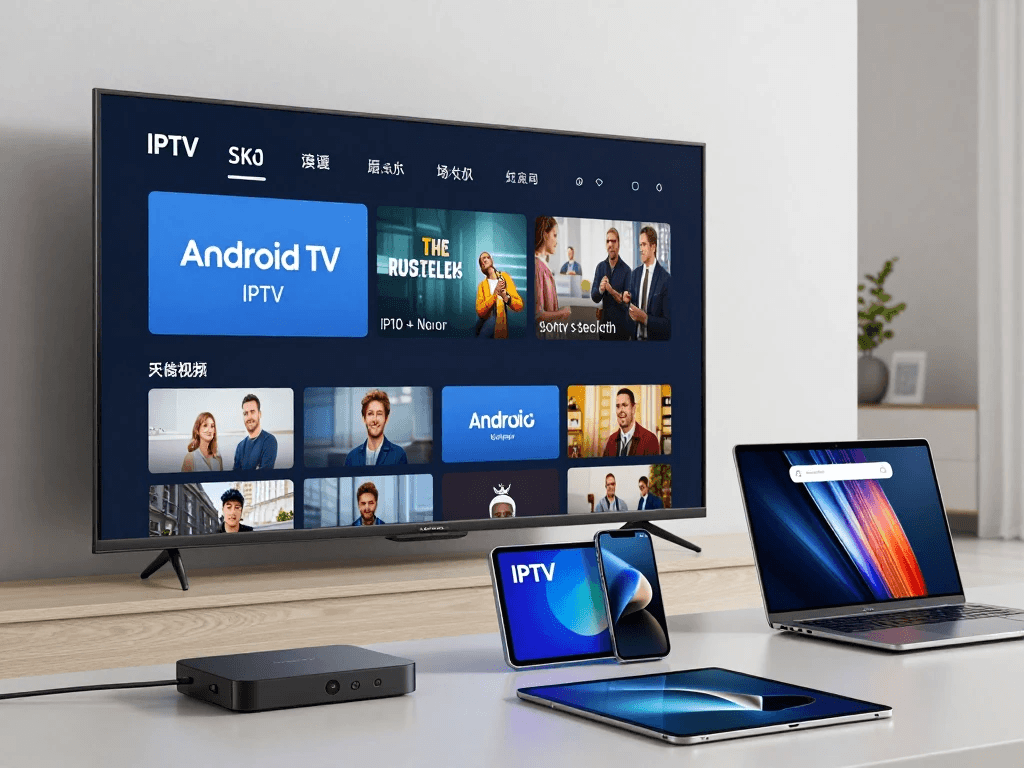
Depending on the provider and application, IPTV can be accessed through devices such as:
- Smart TVs
- Android TV devices
- Fire TV devices
- Android smartphones and tablets
- Apple devices
- Computers
- Compatible TV boxes
- Formuler devices
- MAG-compatible setups
Before buying, confirm that the service supports your particular device and operating system.
One Device vs. Multiple Connections
One of the most important distinctions is between device compatibility and simultaneous connections.
A provider may support many different devices but only allow one active stream at a time under your plan.
If you want to watch on multiple screens simultaneously, look specifically for a plan that explicitly includes the required number of authorized connections.
| Requirement | What to Check |
|---|---|
| One television | Single connection may be enough |
| TV + phone | Check simultaneous-use rules |
| Multiple TVs | Check multi-connection availability |
| Family use | Confirm authorized concurrent streams |
| Travel + home use | Review device and connection restrictions |
Never assume that “multi-device support” automatically means unlimited simultaneous viewing.
3 Months IPTV Subscription vs. 1, 6 and 12 Months
The ideal subscription length depends on how confident you are about the service and how frequently you watch IPTV.
Plan Comparison
| Factor | 1 Month | 3 Months | 6 Months | 12 Months |
|---|---|---|---|---|
| Commitment | Very Low | Moderate | Medium | High |
| Upfront Cost | Low | Medium | Higher | Highest |
| Flexibility | Excellent | Very Good | Good | Limited |
| Evaluation Period | Short | Good | Long | Very Long |
| Renewal Frequency | High | Lower | Low | Very Low |
| Ideal User | New user | Regular user | Established user | Long-term user |
Why Choose 3 Months IPTV Instead of a Monthly Plan?
A monthly subscription provides maximum flexibility, but it also means you need to renew more frequently.
A three-month plan can be a convenient middle ground.
You receive enough time to:
- Evaluate everyday performance
- Test different devices
- Explore the content library
- Check EPG functionality
- Watch during different times of day
- Assess customer support
- Determine whether the service fits your habits
You also avoid making the larger financial commitment associated with a six- or twelve-month plan.
For many viewers, that balance makes a three-month subscription attractive.
Why Choose 3 Months Instead of 12 Months?
A 12-month subscription may offer a lower effective monthly price, but the lower monthly cost comes with a larger upfront commitment.
If you have never used a provider before, a three-month plan can reduce your exposure.
Imagine that you purchase a yearly subscription and then discover that the service does not support your preferred device, lacks important channels, or does not meet your expectations. You may have limited options depending on the provider’s refund policy.
With a three-month plan, you can evaluate the service without committing for an entire year.
That does not mean three months is always the best choice. If you already trust a provider, understand its terms, and know that it meets your needs, a longer plan may make more financial sense.
How to Choose the Best 3 Months IPTV Subscription
Finding the best 3 month IPTV subscription requires more than comparing prices.
You should approach the decision like any other subscription purchase: identify your needs first, then compare providers against those requirements.
Check Channel and Content Availability
Start by writing down the channels and types of content you actually need.
For example:
- Which countries’ channels do you watch?
- Do you need local channels?
- Do you watch sports?
- Are movies important?
- Do you need children’s programming?
- Do you use catch-up television?
- Do you need an EPG?
Once you have your list, compare it against the provider’s official information.
Do not assume that a provider offering a large number of channels automatically has everything you want.
Check Device Compatibility
Before purchasing, identify your primary viewing device.
If you use a Smart TV, check the exact platform and compatible application. If you use a streaming device, verify that the IPTV player you intend to use supports it.
This step can save you considerable frustration.
Evaluate Streaming Stability
A good IPTV experience depends heavily on consistent streaming.
You should consider:
- Your internet connection
- Wi-Fi strength
- Network congestion
- Device performance
- Provider infrastructure
- Video quality
- Peak-time performance
A service that works perfectly for five minutes is not necessarily a reliable service.
If a provider offers a legitimate trial or preview under its terms, use it to evaluate the service before making a longer commitment.
Review Customer Support
Customer support becomes particularly important during setup.
Look for clear information about:
- How to contact support
- Operating hours
- Setup assistance
- Troubleshooting
- Account questions
- Billing issues
- Cancellation requests
Avoid choosing a service purely because it has an attractive price if you cannot find clear information about how customers receive assistance.
Understand Refund and Renewal Policies
This is one of the most overlooked parts of buying an IPTV subscription.
Before completing payment, look for information about:
- Refund eligibility
- Refund deadlines
- Automatic renewal
- Cancellation
- Subscription expiration
- Payment disputes
- Service limitations
If a plan automatically renews, make sure you understand when and how renewal occurs.
You should also save your order confirmation and subscription details. Keeping records can make future account or billing questions much easier to resolve.
What Internet Speed Do You Need for IPTV?
Your internet connection plays a major role in streaming performance.
There is no universal speed requirement because actual bandwidth usage depends on the video codec, bitrate, resolution, network conditions, and service configuration.
As general guidance:
| Streaming Quality | Approximate Suggested Speed |
|---|---|
| SD | 3–5 Mbps |
| HD | 5–10 Mbps |
| Full HD | 10–15 Mbps |
| 4K | 25 Mbps or more |
These figures are guidelines, not guarantees.
For example, a household with several people simultaneously streaming video, gaming, downloading files, or using video calls may need substantially more bandwidth.
A fast internet package also cannot completely eliminate problems caused by poor Wi-Fi coverage or network congestion.
Wired vs. Wi-Fi for IPTV
If your television or streaming device is close to your router, Ethernet can provide a stable connection and reduce wireless interference.
Wi-Fi can work very well too, especially when your router is positioned correctly and your device has a strong signal.
For Better Wi-Fi Performance:
- Place your router in an open location.
- Avoid unnecessary physical obstructions.
- Use a suitable Wi-Fi frequency.
- Keep your router firmware updated.
- Reduce unnecessary network traffic.
- Test your connection near the streaming device.
- Consider Ethernet when practical.
If buffering occurs, do not immediately assume that the IPTV provider is responsible. Test other streaming services and your local network first.
How to Set Up a 3 Months IPTV Subscription
Once you have purchased a subscription from a legitimate provider, the setup process will depend on the service and your device.
The general process looks like this.
Step 1: Choose a Compatible Device
Start with your preferred viewing device.
You may use:
- Smart TV
- Android TV
- Fire TV device
- Smartphone
- Tablet
- Computer
- Compatible IPTV box
Check the provider’s instructions before installing anything.
Step 2: Choose an IPTV Player
An IPTV subscription and an IPTV player are not necessarily the same thing.
The subscription provides access to the service, while the player is the application used to display compatible content.
Depending on your setup, you may be asked to use a particular application or a compatible third-party player.
Only use applications from trustworthy sources and follow the provider’s legitimate setup instructions.
Step 3: Enter Your Subscription Credentials
Your provider may supply information such as:
- Username
- Password
- Playlist information
- Server details
- Portal information
- Other supported credentials
Enter these details carefully.
A single typing error can prevent the service from loading.
Step 4: Load Channels and EPG
After successful authentication, allow the application to load your available content.
If an EPG is included, follow the provider’s instructions for loading program information.
Large playlists can take some time to process depending on the device and application.
Step 5: Test Your Connection
Do not wait until an important event to discover a configuration problem.
Test:
- Several channels
- Different content categories
- HD streams
- Different times of day
- EPG information
- Catch-up features if included
This gives you a much better understanding of how the service performs in normal use.
Important: IPTV technology itself is a method of delivering television over internet networks. Whether particular content is lawful to access depends on the rights and authorization associated with that service and content. You should use services that have the appropriate rights to distribute what they offer.
Common Problems With 3 Months IPTV Subscriptions
Even with a good internet connection and compatible equipment, you may occasionally experience technical problems.
Understanding the most common causes can help you troubleshoot them more efficiently.
IPTV Buffering
Buffering occurs when playback pauses because the device cannot receive or process enough data quickly enough.
Possible causes include:
- Weak Wi-Fi
- Internet congestion
- Insufficient bandwidth
- Device limitations
- Network interference
- Provider-side technical problems
Start by testing your internet connection and restarting your router and streaming device.
If other streaming platforms work normally while the IPTV service consistently struggles, the issue may be related to the service itself.
Channels Not Loading
If channels fail to load, check:
- Your subscription status.
- Your username and password.
- Your playlist or server details.
- Your internet connection.
- Your application settings.
- Whether the content is currently available.
If your credentials are correct and the problem affects the entire service, contact the provider.
EPG Not Working
An EPG may fail because of:
- Incorrect configuration
- Outdated guide information
- Playlist changes
- Application settings
- Provider-side issues
Refresh the guide first. If the problem continues, check the provider’s setup instructions.
IPTV App Compatibility Problems
Sometimes the problem is not the subscription but the application or device.
Check whether:
- Your operating system is supported.
- The application is updated.
- Your device has sufficient storage.
- Your credentials were entered correctly.
- Your application supports the supplied connection method.
How to Get the Best Value From a 3 Months IPTV Subscription
Getting good value does not necessarily mean finding the cheapest plan.
Instead, you should look at what you receive relative to what you actually need.
Compare the Total Price
Calculate the effective monthly price:
Three-month price ÷ 3 = effective monthly cost
Then compare that figure with monthly, six-month, and annual options.
Remember that a lower effective monthly cost can come with a higher upfront commitment.
Check What Is Included
Before purchasing, create a simple checklist.
| Feature | Why It Matters |
|---|---|
| Live channels | Core television access |
| VOD | On-demand entertainment |
| EPG | Easier navigation |
| Catch-up | Access to supported past programs |
| Multiple connections | Useful for multiple viewers |
| Device support | Ensures compatibility |
| Customer support | Helps with setup and issues |
| Clear billing terms | Avoids unexpected charges |
This makes it much easier to compare two seemingly similar IPTV plans.
Avoid Extremely Cheap IPTV Offers
An unusually cheap subscription can be tempting, especially when you see aggressive advertising.
However, price should make you investigate—not automatically purchase.
Watch for warning signs such as:
- No clear company information
- No terms and conditions
- No refund information
- No customer support details
- Unclear billing practices
- Unrealistic promises
- No information about content rights
- Pressure to pay immediately
A responsible purchasing decision means knowing who you are buying from, what you are receiving, how you will be billed, and whether the service has the appropriate rights for the content it distributes.
The number of channels should never be your only buying criterion.
3 Months IPTV Subscription Buying Checklist
Before purchasing your next subscription, run through this checklist.
Content
- Desired channels are available
- Important categories are included
- Your preferred regional content is supported
- Sports or entertainment content meets your needs
Technical Features
- Your device is supported
- Your IPTV application is compatible
- Required connection method is supported
- EPG is available if you need it
- Catch-up is available if required
- Desired video quality is supported
Pricing
- Total three-month price is clear
- Effective monthly cost is reasonable
- No unexpected fees are listed
- Renewal terms are understandable
Customer Service
- Contact information is available
- Setup instructions are provided
- Refund terms are clear
- Cancellation procedure is explained
Legal Considerations
- The provider clearly identifies its service
- Content distribution rights are appropriately addressed
- You understand the applicable laws in your location
Who Should Buy a 3 Months IPTV Subscription?
A three-month subscription can be useful for several types of viewers.
Regular IPTV Viewers
If you watch internet television regularly but do not want to commit to a full year, three months provides a practical compromise.
You have enough time to make a meaningful assessment without paying for a long subscription period.
Seasonal Viewers
You may also find a three-month plan useful if your viewing habits change during the year.
For example, you might want a subscription during:
- A particular sports season
- A holiday period
- A temporary relocation
- A school break
- A period when you spend more time at home
The shorter commitment can provide flexibility.
New Users Who Want More Time to Evaluate
A one-month plan may not always be enough to understand how a service performs over time.
Three months allows you to explore the platform gradually.
You can test it on your main device, try another compatible device, explore the VOD catalog, evaluate the EPG, and determine whether the service genuinely fits your routine.
Who Should Choose a Different Plan?
A three-month subscription is not automatically the right choice for everyone.
Choose a Shorter Plan If:
- You are completely new to the provider.
- You are uncertain about compatibility.
- You only need temporary access.
- You want maximum cancellation flexibility.
Consider a Longer Plan If:
- You already know and trust the provider.
- The service consistently meets your needs.
- The longer plan provides meaningful value.
- You are comfortable with the larger upfront commitment.
- The provider has clear terms and appropriate content rights.
The right subscription length is ultimately a balance between price, flexibility, confidence, and viewing needs.
How to Compare 3 Month IPTV Plans Before Buying
When comparing several 3 Months IPTV Subscription offers, avoid opening ten browser tabs and judging them based on advertising headlines alone.
Instead, create a simple comparison framework.
| Factor | Provider A | Provider B | Provider C |
|---|---|---|---|
| 3-Month Price | Check | Check | Check |
| Effective Monthly Cost | Check | Check | Check |
| Connections | Check | Check | Check |
| Device Support | Check | Check | Check |
| VOD | Check | Check | Check |
| EPG | Check | Check | Check |
| Catch-Up | Check | Check | Check |
| Customer Support | Check | Check | Check |
| Refund Policy | Check | Check | Check |
| Renewal Terms | Check | Check | Check |
| Content Rights | Verify | Verify | Verify |
This approach helps you make a decision based on useful information rather than marketing language.
Questions to Ask Before Purchasing a 3 Months IPTV Subscription
If a provider’s website does not answer important questions, contact its support team before paying.
You can ask:
- Which devices are officially supported?
- How many simultaneous connections does this plan include?
- Is the subscription automatically renewed?
- What is the refund policy?
- Is customer support available after purchase?
- Which content is included in the plan?
- Is an EPG available?
- Is catch-up available?
- What setup method does the service use?
- What are the applicable terms of service?
Clear answers can help you distinguish a professional service from an offer that lacks transparency.
Tips for a Better IPTV Viewing Experience
Your IPTV experience does not depend entirely on the subscription.
Your home network and viewing equipment matter too.
Keep Your Device Updated
Older software can sometimes cause compatibility problems.
Check for:
- Operating system updates
- Application updates
- Router firmware updates
Do not install updates from suspicious websites. Use official device and application sources whenever possible.
Restart Your Equipment When Necessary
A simple restart can resolve temporary connection problems.
If you experience an issue, restart:
- Your streaming device
- Your router
- Your IPTV application
Then test the service again.
Reduce Network Congestion
If several devices are using your connection at the same time, streaming performance may suffer.
Large downloads, cloud backups, gaming updates, and multiple video streams can all consume bandwidth.
If possible, test IPTV when your network is relatively quiet.
3 Months IPTV Subscription: Pros and Cons
A three-month plan has several advantages, but there are also situations where another option may be more appropriate.
| Pros | Cons |
|---|---|
| Lower commitment than annual plans | Higher upfront cost than one month |
| More convenient than monthly renewal | Still requires a multi-month commitment |
| Enough time to evaluate service | Refund terms vary |
| Potentially lower monthly cost | Savings are not guaranteed |
| Suitable for regular viewers | Not ideal if you only need IPTV briefly |
The key advantage is balance.
You are not locked into a year, but you also do not have to manage a monthly renewal every few weeks.
Frequently Asked Questions About 3 Months IPTV Subscription
What Is a 3 Months IPTV Subscription?
A 3 Months IPTV Subscription is a subscription that provides access to an IPTV service for three months, subject to the provider’s terms. Depending on the service, the plan may include live television, VOD, EPG, catch-up, and support for compatible devices.
How Much Does a 3 Months IPTV Subscription Cost?
The price varies depending on the provider, content, number of connections, features, region, and billing structure. Compare the complete three-month price rather than relying only on an advertised monthly equivalent.
Is a 3 Months IPTV Subscription Better Than a Monthly Plan?
It can be, particularly if you already have reasonable confidence in the service and want fewer renewals. A monthly plan offers greater flexibility, while a three-month plan can provide a balance between flexibility and value.
Can I Use a 3 Months IPTV Subscription on Multiple Devices?
That depends on the subscription’s connection policy. A service may support many device types while limiting the number of simultaneous streams. Always check the plan’s connection allowance before purchasing.
Does a 3 Months IPTV Subscription Include Live Sports?
It depends on the service and its authorized content offerings. If sports are important to you, check exactly which competitions and channels are included and whether the provider has the appropriate distribution rights.
Can I Use a 3 Months IPTV Subscription on a Smart TV?
Many IPTV services can be used with compatible Smart TV applications, but compatibility depends on your television’s operating system, the application, and the provider’s supported setup methods.
Do I Need a VPN for a 3 Months IPTV Subscription?
A VPN is not inherently required for IPTV technology. Whether you choose to use one depends on factors such as privacy preferences, network policies, and local regulations. A VPN should not be treated as a way to circumvent content licensing or geographic restrictions.
Can I Cancel a 3 Months IPTV Subscription?
Cancellation and refund rules vary by provider. Before purchasing, read the provider’s terms to determine whether cancellation is possible during the subscription period and whether refunds are offered.
Is IPTV Legal?
IPTV is a technology for delivering video and television content over internet networks, and the technology itself is not inherently illegal. The legal status of a particular service depends on the content it distributes and whether it has the necessary rights or authorization.
What Internet Speed Is Best for IPTV?
Your required speed depends on resolution, bitrate, network usage, and other technical factors. As a general guideline, HD streaming may work well around 5–10 Mbps, Full HD around 10–15 Mbps, and 4K often requires 25 Mbps or more. A stable connection is just as important as raw speed.
Is a Three-Month IPTV Plan Good for Beginners?
It can be a useful option if you want more time to evaluate a service without committing to six or twelve months. However, if you have never used a particular provider, a legitimate trial or shorter plan may reduce your initial commitment.
Final Verdict: Is a 3 Months IPTV Subscription Worth It?
A 3 Months IPTV Subscription can be an excellent middle-ground option when you want more flexibility than a six- or twelve-month plan while avoiding the inconvenience of renewing every month.
The biggest advantage is the evaluation period. Three months gives you enough time to determine whether a service fits naturally into your daily entertainment routine. You can test your preferred device, explore available channels and on-demand content, evaluate streaming quality, check the EPG, and assess customer support.
However, you should not choose a plan based solely on price or the number of advertised channels. Instead, consider the complete package: content availability, device compatibility, connections, streaming performance, customer support, billing terms, refund policies, and appropriate content rights.
If you are comparing IPTV plans today, start by identifying what you actually need. Then compare three-month offers using the same criteria. Calculate the effective monthly cost, read the terms, confirm compatibility, and make sure the service is authorized to provide the content you intend to watch.
Ready to Compare Your Options?
Before you choose your next 3 Months IPTV Subscription, take a few minutes to compare the plans carefully.
Look for a service that offers the right combination of:
- Suitable content
- Compatible devices
- Reliable performance
- Clear pricing
- Appropriate connection options
- Useful features
- Responsive customer support
- Transparent terms
- Proper content authorization
A good subscription is not necessarily the one with the biggest number on the channel list or the lowest price. It is the one that provides the content and experience you actually need while giving you clear, transparent terms.